Native Go scanner
A dependency-free sidecar walks your filesystem concurrently and streams progress live over a small local protocol.
See where your storage went. Clean it safely.
DiskScope maps your entire drive with a native scanner and turns it into visualizations you can actually read — treemaps, sunbursts, flame graphs and more. Find the biggest files and duplicates, then reclaim space safely. Everything runs on your PC; nothing is uploaded.
14-day refund · no account required
Real screenshots, captured from the app.
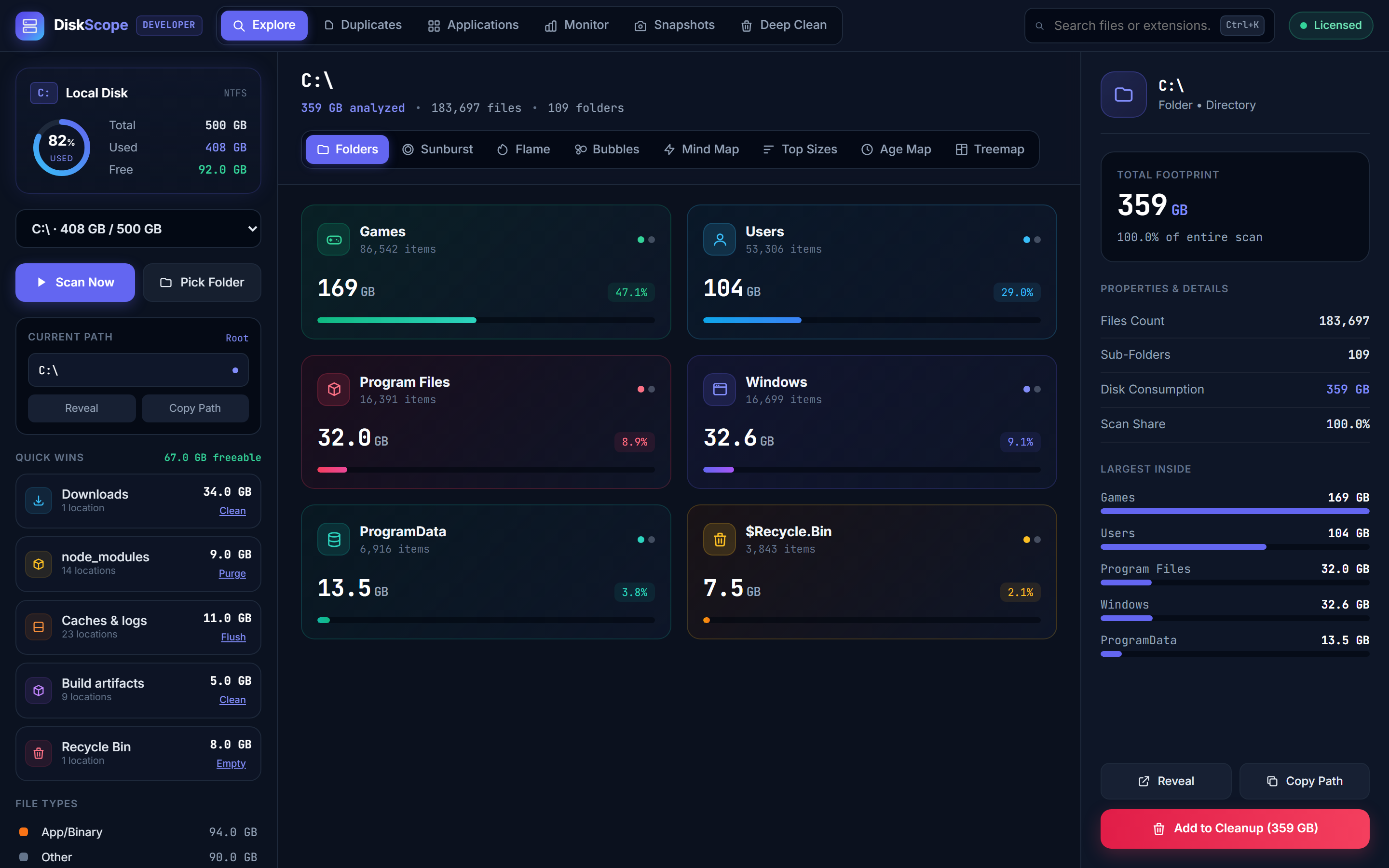
Explore every folder, sized at a glance.
A dependency-free sidecar walks your filesystem concurrently and streams progress live over a small local protocol.
Concurrency across CPU cores means even large drives resolve fast, with a running file/byte count as it goes.
The scanner keeps an in-memory index so drilling into any folder is instant — no re-scan.
Classic space-filling views that make big folders jump out at a glance.
Alternative layouts for spotting deep nesting and clusters of waste.
See what is oldest and largest, so you know what is safe to clear.
Content-hashes candidates to find true duplicates, grouped so you can clear copies safely.
Stage what you want to remove and review the total before anything is deleted.
Track how storage changes over time and watch live disk activity.
The scan, the index, and every visualization run on your machine. Nothing is uploaded.
Buy, activate with a license key, and use it. There is nothing to sign up for.
DiskScope never touches a file without your say, and never a system-critical one.
One-time license. Choose how many devices you need — updates and support included.
Pay with Card · USDT — chosen at checkout.
Verified purchasers only — every review is tied to a real license.
Own DiskScope? Be the first to share how it’s working for you. Reviews are from verified purchasers only.
No. DiskScope’s scanner runs entirely on your PC and talks only to the local app. Your file list never leaves your machine — there is no account and no telemetry.